
In the competitive landscape of e-commerce, staying ahead means never sitting still. That’s where e-commerce website redesign comes into play. But it’s not just about refreshing the visuals. A redesign involves a lot more, from technical SEO to enhanced functionality.
Why E-commerce Website Redesign is Important?
- Stay Competitive: With evolving user expectations and technology, a modern, optimised website keeps you ahead.
- Improved User Experience: A redesign allows you to improve site navigation, speed, and usability, providing a better shopping experience for your visitors.
- Scalability: As your business grows, you’ll need a platform that grows with it. A redesign enables you to integrate more features and options to cater to a broader audience.
- Boost in SEO: With proper technical SEO, you can significantly improve the website’s visibility on search engines, increasing traffic and sales.
If you’re considering a redesign, our e-commerce SEO checklists will serve as your complete SEO Migration Guide.
Crawling & Auditing the Original Site
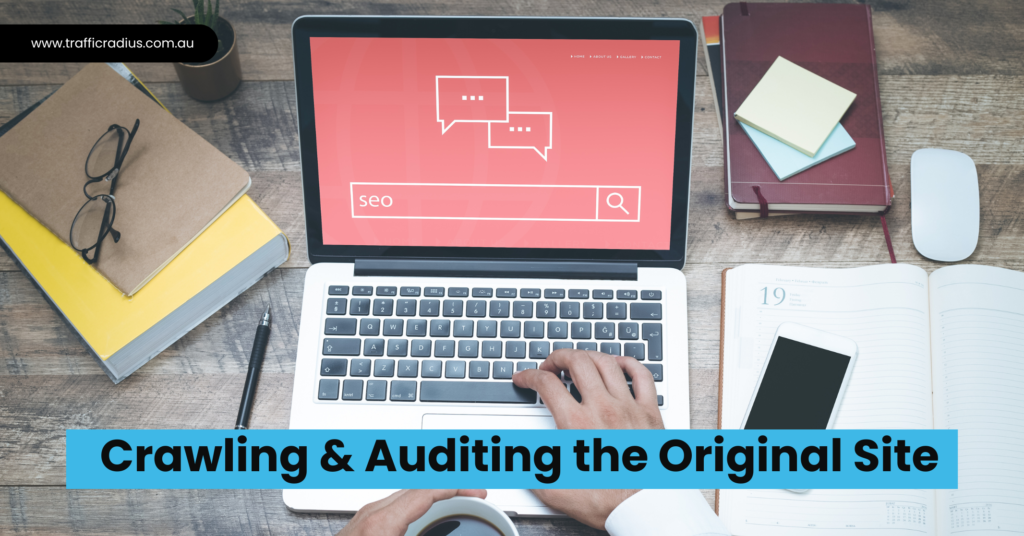
Before you embark on a redesign, it’s essential to understand the current state of your website.
- Run a Crawl: Utilise tools to crawl your website and uncover existing issues.
- Identify Key Metrics: Understand essential SEO metrics like page speed, mobile-friendliness, and 404 errors that need attention.
- Document Existing SEO Elements: Make a record of metadata, schema and other on-page SEO checklist elements.
- Inventory of Assets: Identify your top-performing keywords, pages and backlinks so you can preserve or improve them in the redesign.
Make A List Of:
- Page elements such as titles, image alts, H1 tags, and meta descriptions are duplicated across pages.
- Absence of titles, image alts, H1 tags, and meta descriptions.
- Page titles that fall short of 150 pixels or exceed 512 pixels.
- Meta descriptions surpassing 923 pixels in length.
- Inclusion of links leading to 404 error pages.
- Presence of links redirecting to 301-moved pages.
What To Do?
- Verify any disparity between the number of URLs crawled by Screaming Frog and the number of URLs indexed by Google. To find the latter, conduct a site:yoursiteurlhere.com search with an empty query.
- Confirm the availability of an XML sitemap and create a backup copy.
- Ensure the presence of a robots.txt file and generate a duplicate copy for safekeeping.
Setting Up the Test Site
Creating a test site allows you to iron out any kinks before you go live.
- Create a Clone: Duplicate your current website for testing purposes.
- Block Search Engines: Use the robots.txt file to prevent search engines from indexing your test site.
- Implement Changes: Start implementing design changes, new features and Technical SEO improvements.
Crawling & Auditing the Test Site
Test to ensure that the new design doesn’t introduce any SEO issues.
- Re-run the Crawl: Use your crawling tool to re-scan the test site.
- Compare Metrics: Contrast the new metrics with the original site’s, targeting discrepancies and improvements.
- Refer to your on-page and off-page SEO checklists: Validate that all the SEO checklists are correctly implemented to ensure robust E-commerce SEO.
Matching Up Your Content
Make sure that the new design aligns with your existing content strategy.
- Audit Content: Check for relevance, quality, and SEO-friendliness.
- Update Metadata: Your titles, meta descriptions, and schema should match your new site structure and layout.
- Optimise Media: Ensure that images and videos are optimised for speed and SEO.
Prepare Redirects for All Changed URLs
A critical component of E-commerce SEO Checklists and Technical SEO Checklists is ensuring that you redirect changed URLs to the appropriate new URLs.
- Create a Redirect Plan: Document old URLs and map them to their new equivalents.
- Implement 301 Redirects: These are permanent redirects that pass on most of the link juice to the redirected page.
- Test Redirects: Make sure all redirects work as planned to avoid 404 errors and loss of SEO value.
Consistent Internal Link Architecture
Maintaining a cohesive link structure is vital for both user experience and SEO.
- Audit Internal Links: Ensure all internal links point to the correct new URLs.
- Update Anchor Text: If necessary, update the anchor text to align with your new content and SEO strategy.
Finalisation & Launch

After rigorous testing and auditing, you’re finally ready to go live.
- Pre-Launch SEO Audit: A final run-through of your e-commerce SEO guide and Technical SEO Checklist.
- Backup: Always back up your original site before launching the new one.
- Go Live: Remove the disallow rule from your robots.txt file and let the search engines crawl your new site.
- Post-Launch Monitoring: Keep an eye on critical metrics and be prepared to fix them quickly.
Adhering to this detailed technical SEO checklist ensures a seamless transition during your ecommerce website redesign. With this SEO Migration Guide, your redesigned website will look better and perform better. Welcome to the new age of e-commerce SEO!
Conclusion
If you want to stay ahead in the world of e-commerce and marketing, you must have a website that looks great and ranks well. By considering the crucial aspects of technical SEO, you can ensure your website has everything it needs to perform well and engage with the visitors and your target audience.
Points to Remember:
- Eliminate the “noindex” directive from the test site when migrating.
- Confirm that .htaccess is aligned with the accurate URL structure, not that of the test site.
- Perform a comprehensive crawl after the launch to verify the seamless migration of the test site to its ultimate destination.
For more in-depth strategies and custom solutions, contact Traffic Radius for all your SEO and marketing needs.