
Overlooked Bing: The Unsung Search Hero
🔍 Unveiling the Hidden Gem of Local SEO: Bing Places for Business! Just like its renowned counterpart, the Google Business Profile, Bing Business Listing opens the doors to amplify your local company’s exposure.
🗣️ While Bing for Business Places might be seldom discussed, it’s time to give it the spotlight it deserves. This platform holds a treasure trove for local businesses, and I’m here to shed light on its brilliance.
📖 Join us in this blog as we embark on a comprehensive exploration of Bing Business Listings. We’ll uncover what it’s all about, walks you through profile setup, and unveil how this platform can supercharge your local SEO guide and strategy.
🌟 Let’s break the silence surrounding Bing Places! If you’re eager to make your mark on Bing, let’s dive right in! 💼🔗
Understanding Bing Places for Business
🌐 Bing Places for Business: Microsoft’s Answer to Google Business Profile!
📍 Unlock the Stage: Showcasing your brick-and-mortar spots on Bing.com and Bing Maps is what Bing Places for Business is all about.
🔒 Much like its Google counterpart, a verified Bing Business Listing account offers you a golden opportunity to spill the beans about your business. From location details and contact information to operating hours and website links – it’s all in your grasp.
📅 Originating back in 2009, business listings on Bing have come a long way. Microsoft has woven a tapestry of enhancements into the service, including captivating features like photos and videos, turning it into an evolving powerhouse.
🚀 Ready to Amplify Your Business’s Presence? Let’s Explore Bing local search optimisation Places and Elevate Your Exposure! 📸🎥
Advantages of Utilising Bing Places for Local SEO
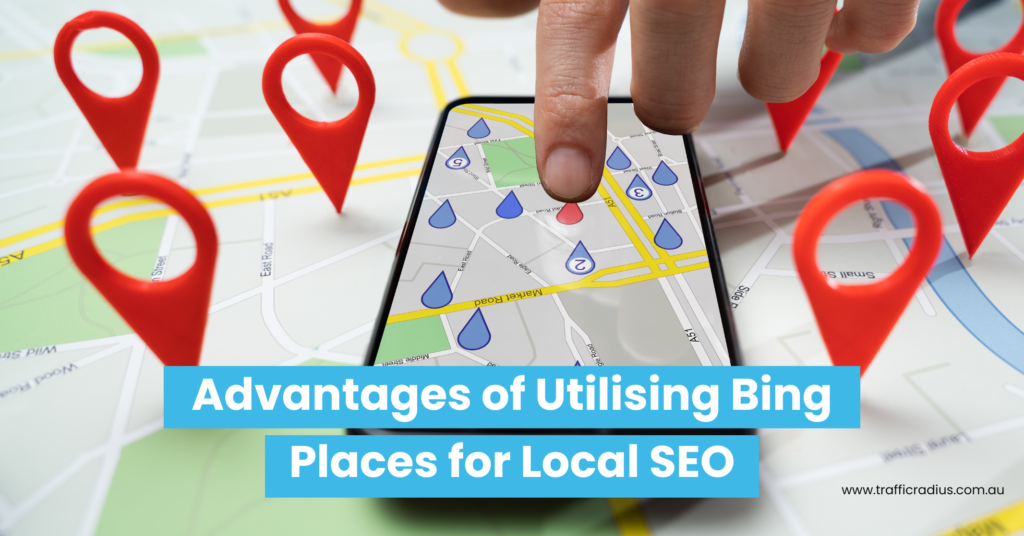
🔍 Don’t Miss Out on Bing Places for Business – Your Local SEO Ace! 🏆
- 🌎 Embrace Bing’s Benefits: “It’s time to take your local SEO game seriously, and Bing Places is your ticket to a host of enticing advantages.”
- 🥈 Bing, the World’s Runner-Up: “With a significant 8.23% market share (compared to Google’s 85.52%), Bing stands tall as the second-largest search engine. Don’t assume everyone is solely on Google; Bing’s integration into Microsoft Edge browsers means more eyes on it than you might think. And who knows? Bing’s AI-driven results could steer it to greater prominence in the future!”
- 💰 Wallet-Friendly Move: “Get ready for a pleasant surprise – using Bing Places won’t cost you a dime! Your investment? Just a bit of your precious time. Plus, as you’ll soon discover, setting up shop here is a breeze.”
- 🛠️ User-Friendly Haven: “No tech wizardry required! Even if tech isn’t your forte, creating and managing your Bing Business Listing is refreshingly straightforward.”
- 📊 Data Delight: “Bing Places doesn’t stop at just listings. It’s a goldmine of insights! Navigate through its user-friendly analytics dashboard to uncover precious data on impressions, clicks, and reviews your business garners.”
📈 Ready to Elevate Your Local Presence? Unleash the Power of Bing business directory Places for Business Today! 🚀📊
Creating Your Bing Business Listing: A Step-by-Step Process
Ready to embark on your Bing Places for Business journey? Let’s get you all set up! Just stick with me and follow these simple steps:
Logging in to bingplaces.com
🚀 Starting with Bing Places is a Breeze! Just head over to Bing Places for Business and hit the “New User” button.
🏢 Adding Your Business on Bing Maps Listing:
You’ve got options! Either bring your business in from Google My Business or craft a fresh Bing Places for Business account from the ground up.
🤝 Google My Business vs. Bing:
The quickest path? Import your info straight from Google My Business! A simple tap on the button and a data-sharing agreement from your Google account is all it takes.
🌟 But for now, let’s assume you’ve chosen the “Claim or add your business manually” route. Let’s dive in! 💼🗺️
Establishing or Claiming Your Business Listing
📝 Creating or Seizing Your Bing for Business Listing – A Piece of Cake! Just follow these step-by-step guidelines.
👣 Step 1: Select Your Business Type and Location. Then, either search for your business name and location or input your business phone number.
🔍 Bing Places for Business Search:
In most instances, your business will likely be already listed. Just click on the “Claim Business” button, and it’s yours! Should you not spot it, hit “My business is not listed in the search results.” From there, you can opt to forge a new business entry or refine your search to track down your venture.
💼 If “Claim Business” is your pick, a swift sign-in awaits, and you’re good to go – immediate Bing business listing edits at your fingertips.
🏢 If not, crafting your Bing Business profile from scratch becomes your canvas to paint on. 🎨
Enhancing Business Details or Ensuring Accurate NAP Information
🔍 If Your Business is Already Listed, a Breeze Awaits! Ensure Bing’s Info is On Point, or Customise It with a Few Clicks.
🎉 When Building from Scratch, Don’t Fret! Bing’s Process Guides You Smoothly.
🏢 Adding Your Business on Bing local search ranking factors: Let’s Begin by Crafting Your Profile. Provide:
📌 Business Name
📍 Address
☎️ Phone Number
🌐 Website
- 📍 Spot-On Location: Pin It Right! Accurate placement is key – move it if needed. Bing Places aims to make your spot easy to find, so precision is paramount.
- 📊 Define Your “Segment of Business”: Pick a Category! Options Span from Banking to Healthcare – Select Yours.
- 🔖 Tag It Right: Choose Relevant Categories, Like Keywords for Your Biz. Example: “Marketing” Unlocks a List of Options.
- 📝 Paint the Picture: Detail Your Biz! Offerings, Services – Keywords Galore.
- ⌚ Time to Shine: Display Your Operating Hours. A Must for Drawing Foot Traffic. Accurate Open and Close Times Matter – Even Noting Closure Days!
- 📞 Choose What You Share: No Pressure! Bing Requires Just Asterisk-Noted Info.
🌟 Ready to Elevate Your Bing Presence? Let’s Dive In and Fine-Tune Your Business Profile! 🚀📊
Verifying Your Bing Business Listing
🔑 After Polishing Your Business Profile, It’s Verification Time! Bing Wants to Ensure Accuracy, Empower Edits, and Unveil Performance Insights.
🔍 Confirming Your Business on Bing:
Currently, verification is achieved solely by mail. Bing springs into action, dispatching a Verification PIN to the address you’ve furnished. Once the coveted PIN arrives, a simple login to your account followed by PIN entry seals the deal, authenticating your business.
📬 Unlocking Trust and Credibility: Bing’s Verification Process Guarantees Your Listing’s Legitimacy! 🏢🔐
Assessing Citations and Directory Listings
📞 Your Business Identity: NAP (Name, Address, Phone) – A Key Player in Bing and Google Rankings. Yet, Precision Extends Beyond Platforms. Every Directory, Website, and Citation Counts. Imagine Them as Building Blocks—More Citations, Better Local Ranking, Like Backlinks for Bing local SEO checklist.
- 🔗 Simplify the Citation Quest: Enter Data Aggregators! Solutions like BrightLocal or SEMrush Local Offer Effortless Citation Management. While Both Boast Free Options, Going Premium Accelerates the Process.
- 💼 The Bing Boost: Crafting a Spot-On Bing Business Account Yields Citation Confidence. Localeze and Data Axle, Two Prominent Aggregators, Rely on Bing for Data Prowess.
- 🎯 Accuracy Amplifies: Get Your Bing SEO Optimisation Business Account Right and Watch Accurate Citations Flourish! Your Ticket to Local SEO Success. 🏆🌐
Local SEO Optimisation Strategies for Bing
🚀 Initiating Your Bing Business Listing is Just the Beginning of Your Local SEO Journey on Bing. Here Are the Top Five Strategies to Amp Up Your Presence:
1. Incorporating Relevant Keywords in Your Business Listing Description
🔁 It’s Worth Emphasising Again: Infuse Your Business Description on Bing Places with Relevant Keywords.
🎯 Opt for Simplicity: Keep Your Description Precise. Skip the Sales Pitch – Focus on Defining Your Services. Condense Your Business’s Purpose into a Single Line, Followed by Service Listings. This Approach Seamlessly Weaves in a Plethora of Keywords. 📈
2. Crafting Location-Specific Content on Your Website
📍 Elevate Your Bing Business Listing with Tailored Website Content. Begin by Amplifying Local Relevance on Your Business Site.
- 🌍 Geo-Power Your Pages: Optimise Relevant Service Pages with Local Flair, Infusing Geo-Specific Keywords.
- 📋 Example: If You’re an Accountant in Houston, Think Titles Like “Houston, TX Accountant” or “Bookkeeping in Houston, TX.”
- 🔗 Dive Deeper: Sprinkle Location Keywords in Vital Spots:
- URL
- Header Tags
- Page Content
- Meta Descriptions
📝 But Wait, There’s More! Harness Your Blog’s Potential. Serve Up Local Flavor Through:
- Industry Insights
- Area Highlights
- Business Updates
- Real-Life Success Stories
🌆 Your Blog Becomes a Local Treasure Trove, Strengthening Your Bing local search best practices and SEO Presence. Make Your Content a Bridge to Your Community. 📚🚀
3. Promoting and Responding to Customer Reviews
🌟 Customer Reviews: A Powerhouse Ranking Boost and Trust Builder, Hand in Hand with Citations. Positive Reviews Propel You Up the Ranks and Foster Customer Confidence.
- 📈 Maximise Your Reviews: Rally All Your Happy Customers! A Delighted Client? A Review Request – It’s a Simple Plea for Their Feedback.
- 📧 Automation Magic: Set Up an Email Campaign for Effortless Review Gathering. Watch the Reviews Flow In!
- 💌 Engagement Matters: Don’t Forget to Engage! Respond to Every Review, Demonstrating Your Attentiveness. The Bing Places for Business Dashboard is Your Command Centre for Managing and Engaging with Reviews.
👍 Unlock the Power of Reviews: Propel Your Ranking, Boost Trust and Elevate Your Reputation in Bing’s Local SEO Arena! 🚀📊
4. Utilising High-Quality Visual Content
📸 Let’s Dive into a Hypothetical: Picture This – Two Businesses. One Blooms with Bing Places Images and the Other Presents a Solitary Storefront Snapshot. Which Wins Your Vote? The Image-Rich One, Right?
💡 This Spotlights the Power of Visuals: Load Your Profile with High-Quality Images and Videos. It’s a Showcase of Your Offerings and a Confidence-Builder for Potential Clients.
📷 Quality and Quantity: The Magic Formula. The More, the Merrier! Display Your Products, Flaunt Your Services – Offer Visual Reassurance of Your Capability.
🖼️ A Couple of Key Points to Keep in Mind:
- Your Lead Image Matters: The First Impression Counts. Make It Your Logo or Another Iconic Brand Representation.
- Elevate with Metadata: Each Visual Treasure Needs Context. Attach Metadata for Enhanced Accessibility and a Generous Boost to Your SEO Game.
🎉 Ignite Your Bing Business Profile with Captivating Visuals – Unleash the Power of Images to Win Over Hearts and Search Rankings! 🌟📊
5. Integrating Local Business Schema Markup
🏢 Local Business Schema: A Crafty Structured Data Boost for Your Website! This Markup Jazzes Up Your Site, Helping Bing and Google Decode Your Business Type and Offerings.
🌐 Dive In Start by Selecting the Ideal Local Business Schema Category from the Rich Pool on Schema.org’s Local Business Section.
📋 Shape Your Entry: Populate Key Schema Properties for Your Biz:
- Name
- Address
- Phone Number
- Operating Hours
- Description
- Logo
- Geolocation
🔧 A Helping Hand: Navigating Schema Creation Might Feel Tricky sans a Developer. Enter Google’s Structured Data Markup Helper! This Nifty Tool Automates the Process, Crafting and Verifying Your Business Schema with a Few Clicks.
🎉 Step Up Your Website’s Game with Local Business Schema – An Effortless Way to Make Your Business Shine Bright on Search Engines! 💼🛠️
Harnessing Bing Local Insights and Analytics
📊 Much Like Google My Business, Bing Places Offers a Robust Analytics Playground – Your Ticket to Keeping Tabs on Your Listing’s Performance.
🔍 Unveil Insights: This Analytics Hub Lets You Unravel Key Metrics:
👁️🗨️ Views
🖱️ Clicks
📞 Calls
📍 Find Your North Star: Trace How Users Discover Your Business! Spot Your Strengths – Areas Excelling and Spots Needing a Boost.
📈 Regular Check-ins: By Consistently Delving into Bing’s Local Listing Analytics, You’re Paving the Path to Up-to-Date Excellence. Master Bing’s Local Search Visibility, Stay on Top of the Bing Local Search Algorithm, and Hone Your Bing Local Search Best Practices! 🚀🔍🎯
Exploring the Bing Places for Business Dashboard
📊 All the Details Covered Earlier? Find Them in the Bing Places Business Dashboard – Your Command Center for Managing and Refreshing Your Listing.
📝 Dashboard Delight: Divided into Panels, Your Overview Greets You on the Left. Here, Tweak Info, Unveil Special Hours, Dive into Advanced Details, and Craft Tempting Offers. Plus, Closing Up Shop or Bidding Farewell? Here’s Where You Can Wave Goodbye.
📜 Middle Panel Magic: A Selection of Moves Awaits! Take the Reins By:
- Verifying Your Account (if Unchecked)
- Highlighting Features and Amenities
- Boosting Your Business’s Limelight
- Linking to Google My Business
- Snagging the Bing Places App for Mobile Management On-the-Go
📊 Bing Places Insights: The Finale, Traffic Data Takes the Stage! Peek into Your Visitor Numbers Across Three Timeframes: the Last Four, Eight, and 12 Weeks. Plus, a Friendly Nudge to Compare Your Traffic with Similar Businesses.
🎉 All Housed in the Bing Places Business Dashboard – Where Power, Precision, and Performance Unite! 🚀📊👀
Exemplary Bing Business Listing Illustrations
🔍 A Swift Bing Search Unveils Abundant Local Businesses Excelling with Their Bing Business Listings. Let’s Take a Peek at Two Standouts:
- Alba Dry Cleaners & Tailoring in New York, NY: A Stellar Showcase! Their Listing Shines with the:
📸 Captivating Imagery
📋 Scores of Reviews
📞 Accurate Contact Details
♿ Noteworthy Wheelchair Access Mention
- Stumptown Coffee in Portland: Igniting Curiosity with a Tempting Main Image. Keywords and Multilocation References Grace Their Description. Keep Scrolling to Discover a Full Array of Store Amenities.
🌟 These Businesses Set the Bar High, Demonstrating the Power of Bing Business Listings in Action! 🏆🚀
Maximising the Potential of Bing Places for Business
🚀 With Your Account Set and Verified, You’re on the Right Path with Bing for Business. Yet, Unveil More Potential with These Extra Boosters:
👁️🗨️ Stay Alert for Local SEO Shifts: Similar to Google, Bing Tweaks Its Algorithm Regularly. Staying Informed About Key Ranking Factors Guarantees Your Business’s Prime Spot.
🔍 Watch the Competition: Don’t Forget to Peek at Your Rivals. Aim for More Reviews, Strive for Top-Notch Images, and Enrich Your Profiles. If They Spark a Successful Strategy, Make It Yours Too.
🔝 Bing Advertising Peek: Bing Places Offers Free Search Result Presence, But If Exposure’s Your Goal, Explore Bing’s PPC Option. You Might Discover Cost-Effective Exposure.
💰 Flash Discounts or Deals: Bing for Business Lets You Unleash Promotions Effortlessly. Hop on Your Dashboard, Spot the Panel, and Dive into Crafting Deals. It’s a Freebie That Packs a Punch.
🌟 Your Bing Journey Doesn’t End at Setup – Keep Unleashing Potential and Watch Your Business Flourish Even More! 🚀🔥
Answering Common Queries About Bing Business Listings
How to Claim Your Bing Business Listing?
Claiming your Bing Business listing is a breeze. Navigate to the Bing Places for Business website and log in using your Microsoft account. Proceed to search for your business particulars and if it’s displayed, simply assert ownership.
How to Craft a Bing Business Listing?
or businesses not yet featured in Bing Places for Business results, forging a new listing is the solution. Embark on the Bing Places for Business website’s guided journey, entering essential data like business name, address, phone number, website, and opening hours. Once done, verify your ownership to set your business live on Bing My Business.
How to Refresh Your Bing Business Listing?
Keeping your Bing Business Listing current is hassle-free. Log in to the Bing Places for Business website and locate your business within your dashboard. A click on the listing prompts the “Edit” option, allowing you to effortlessly tweak the particulars.
Wrapping Up: Concluding Remarks on Bing for Business
🔍 While Bing Places for Business Might Reside in Google My Business’s Shadow, It Holds Tremendous Potential for Elevating Your Local Business Reach and Supercharging Your Local SEO Game.
🌟 Embarking on an Account Creation Journey Is Merely the First Step. To Truly Harness, the Might of Your Bing Business Listing, Embrace My Guidance. Unleash the Power of Bing local SEO checklist, Amplify Your Presence, and Channel a Thriving Stream of Visitors to Your Physical Storefront.
🚀 Remember, the Path to Local SEO Excellence Is Paved with Strategic Steps on Bing Places for Business. Let’s Take Your Local Presence to New Heights! 🌆🛍️